> ## Documentation Index
> Fetch the complete documentation index at: https://auth0.generaltranslation.app/llms.txt
> Use this file to discover all available pages before exploring further.

# Requête HTTP

> Découvrez comment configurer vos actions de flux de requêtes HTTP pour envoyer des requêtes personnalisées à des services ou à des API externes.

<div id="configure-your-vault-connection">
  ## Configurer la connexion à votre coffre-fort
</div>

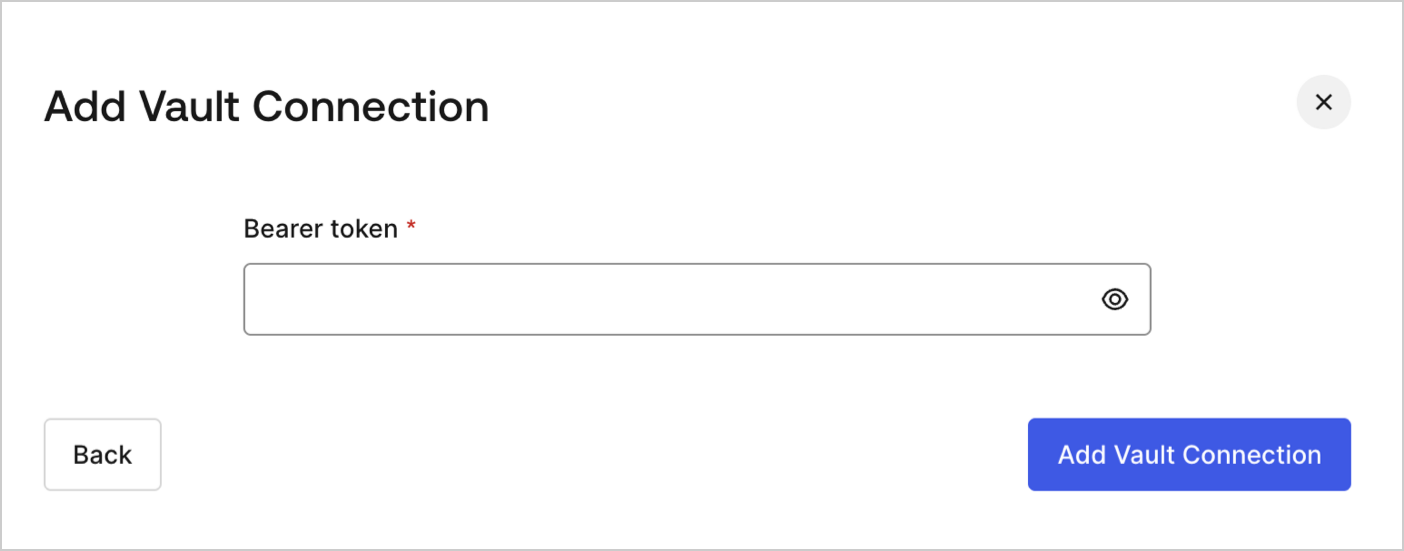
Pour configurer une connexion au coffre-fort pour vos actions de requête HTTP, vous aurez besoin d’un **jeton du porteur** :
<Frame>
  <img src="https://mintcdn.com/generaltranslationinc/RnTJ5sT0kNq-58cb/docs/images/fr-ca/cdy7uua7fh8z/3X0Qbe9o1bx8q9ctxYZTO2/468b4d9b81bad93ab38b0b01dc773788/http-vault-connection.png?fit=max&auto=format&n=RnTJ5sT0kNq-58cb&q=85&s=deb62a955251090036e2eab4e56d8c08" alt="Dashboard > Actions > Forms > Flows > Actions > HTTP Request " data-og-width="1404" width="1404" data-og-height="551" height="551" data-path="docs/images/fr-ca/cdy7uua7fh8z/3X0Qbe9o1bx8q9ctxYZTO2/468b4d9b81bad93ab38b0b01dc773788/http-vault-connection.png" data-optimize="true" data-opv="3" srcset="https://mintcdn.com/generaltranslationinc/RnTJ5sT0kNq-58cb/docs/images/fr-ca/cdy7uua7fh8z/3X0Qbe9o1bx8q9ctxYZTO2/468b4d9b81bad93ab38b0b01dc773788/http-vault-connection.png?w=280&fit=max&auto=format&n=RnTJ5sT0kNq-58cb&q=85&s=7e88a9831f8c314f42856aff6a96b15e 280w, https://mintcdn.com/generaltranslationinc/RnTJ5sT0kNq-58cb/docs/images/fr-ca/cdy7uua7fh8z/3X0Qbe9o1bx8q9ctxYZTO2/468b4d9b81bad93ab38b0b01dc773788/http-vault-connection.png?w=560&fit=max&auto=format&n=RnTJ5sT0kNq-58cb&q=85&s=fff45612aa8ae05868fbec69b8e59eae 560w, https://mintcdn.com/generaltranslationinc/RnTJ5sT0kNq-58cb/docs/images/fr-ca/cdy7uua7fh8z/3X0Qbe9o1bx8q9ctxYZTO2/468b4d9b81bad93ab38b0b01dc773788/http-vault-connection.png?w=840&fit=max&auto=format&n=RnTJ5sT0kNq-58cb&q=85&s=e7d2f23ffedd8fecc13fa1686fe9faa3 840w, https://mintcdn.com/generaltranslationinc/RnTJ5sT0kNq-58cb/docs/images/fr-ca/cdy7uua7fh8z/3X0Qbe9o1bx8q9ctxYZTO2/468b4d9b81bad93ab38b0b01dc773788/http-vault-connection.png?w=1100&fit=max&auto=format&n=RnTJ5sT0kNq-58cb&q=85&s=77c336b19596089edc5f56c402d111f5 1100w, https://mintcdn.com/generaltranslationinc/RnTJ5sT0kNq-58cb/docs/images/fr-ca/cdy7uua7fh8z/3X0Qbe9o1bx8q9ctxYZTO2/468b4d9b81bad93ab38b0b01dc773788/http-vault-connection.png?w=1650&fit=max&auto=format&n=RnTJ5sT0kNq-58cb&q=85&s=fbc0cac451213c27669264978191b684 1650w, https://mintcdn.com/generaltranslationinc/RnTJ5sT0kNq-58cb/docs/images/fr-ca/cdy7uua7fh8z/3X0Qbe9o1bx8q9ctxYZTO2/468b4d9b81bad93ab38b0b01dc773788/http-vault-connection.png?w=2500&fit=max&auto=format&n=RnTJ5sT0kNq-58cb&q=85&s=0731ffcd480039611bdd94db5385f7b8 2500w" />
</Frame>

<div id="http-request">
  ## Requête HTTP
</div>

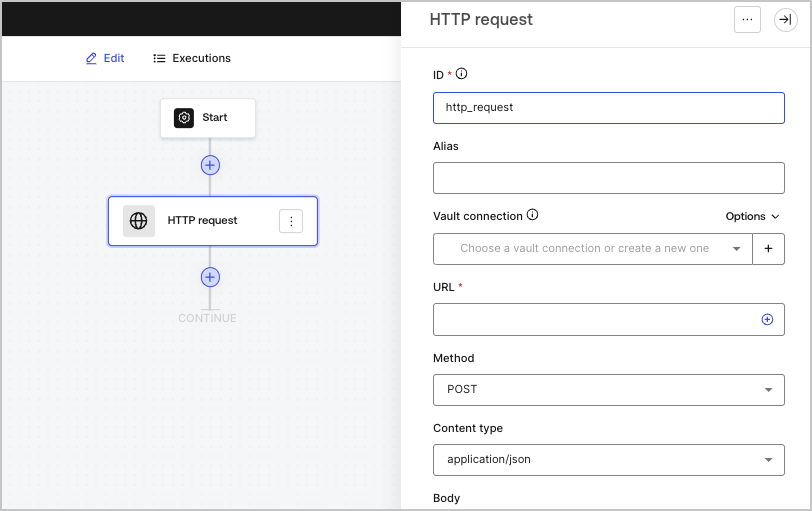
L’action de requête HTTP vous permet d’appeler un service ou une API externe et de traiter la réponse.
<Frame>
  <img src="https://mintcdn.com/generaltranslationinc/9lDbWecp3mLK18lk/docs/images/fr-ca/cdy7uua7fh8z/6eIOv07XenyaazzKixigei/2e9efd632137829a8ddb03aacd3197df/http-request-action.png?fit=max&auto=format&n=9lDbWecp3mLK18lk&q=85&s=fabf52ba0110fdb9d5316c5d612371e4" alt="" width="812" height="511" data-path="docs/images/fr-ca/cdy7uua7fh8z/6eIOv07XenyaazzKixigei/2e9efd632137829a8ddb03aacd3197df/http-request-action.png" />
</Frame>

<div id="input-settings">
  ### Paramètres de saisie
</div>

<table class="table">
  <thead>
    <tr>
      <th><b>Paramètre</b></th>
      <th><b>Description</b></th>
    </tr>
  </thead>

  <tbody>
    <tr>
      <td>Méthode</td>

      <td>
        La méthode HTTP. Les valeurs disponibles comprennent :

        <ul>
          <li>`GET`</li>
          <li>`POST`</li>
          <li>`PUT`</li>
          <li>`PATCH`</li>
          <li>`DELETE`</li>
        </ul>
      </td>
    </tr>

    <tr>
      <td>Type de contenu</td>

      <td>
        L’en-tête `Content-Type`. Les valeurs disponibles comprennent :

        <ul>
          <li>`application/json`</li>
          <li>`application/x-www-form-urlenconded`</li>
          <li>`application/xml`</li>
        </ul>
      </td>
    </tr>

    <tr>
      <td>Corps</td>

      <td>
        Le corps de la demande.
      </td>
    </tr>

    <tr>
      <td>En-têtes</td>

      <td>
        En-têtes de la demande.
      </td>
    </tr>

    <tr>
      <td>Paramètres d’URL</td>

      <td>
        Les paramètres d’URL. Ces paramètres seront automatiquement encodés URL.
      </td>
    </tr>

    <tr>
      <td>Activer l’authentification de base</td>

      <td>
        Permet l’authentification avec nom d’utilisateur et mot de passe.
      </td>
    </tr>
  </tbody>
</table>

<div id="output-object">
  ### Objet de sortie
</div>

<table class="table">
  <thead>
    <tr>
      <th><b>Propriété</b></th>
      <th><b>Type</b></th>
      <th><b>Description</b></th>
    </tr>
  </thead>

  <tbody>
    <tr>
      <td>`headers`</td>

      <td>
        Objet
      </td>

      <td>
        Les en-têtes de la réponse.
      </td>
    </tr>

    <tr>
      <td>`body`</td>

      <td>
        Objet
      </td>

      <td>
        Le corps de la demande.
      </td>
    </tr>

    <tr>
      <td>`status`</td>

      <td>
        Nombre
      </td>

      <td>The code d’état de la réponse.</td>
    </tr>

    <tr>
      <td>`success`</td>

      <td>
        Booléen
      </td>

      <td>
        Renvoie `true` ou `false` basé sur le `status` de la réponse.
      </td>
    </tr>
  </tbody>
</table>

<div id="output-object-example">
  ### Exemple d’objet de sortie
</div>

```javascript lines theme={null}
{
  "headers": {
    ...
  },
  "status": 200,
  "body": {
    ...
  },
  "success": true
}
```
