> ## Documentation Index
> Fetch the complete documentation index at: https://auth0.generaltranslation.app/llms.txt
> Use this file to discover all available pages before exploring further.

# Twilio

> Utilisez les actions Twilio pour envoyer des SMS et passer des appels à l’aide de Twilio.

Cette liste d’actions Twilio vous permet d’envoyer des SMS et de passer des appels en utilisant Twilio comme fournisseur.

<div id="configure-your-vault-connection">
  ## Configurer la connexion à votre coffre-fort
</div>

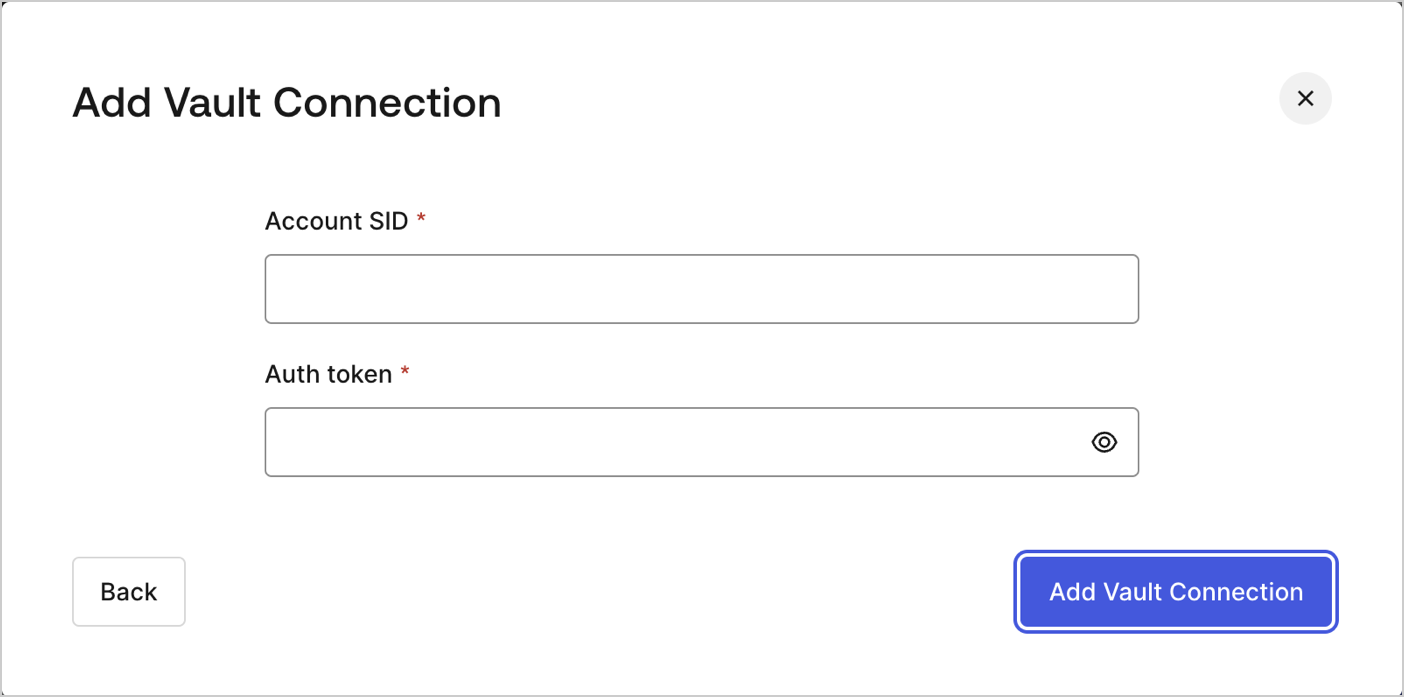
Pour configurer une connexion au coffre-fort pour vos actions Twilio, vous aurez besoin d’un **SID de compte** et d’un **jeton d’authentification** :
<Frame>
  <img src="https://mintcdn.com/generaltranslationinc/iMSUsmCu8vn-vzpZ/docs/images/fr-ca/cdy7uua7fh8z/7MafHKBR1acJE0iGtab2J4/5f4d85a149b9dbd881b4c4558bb0e7bb/twilio-vault-connection.png?fit=max&auto=format&n=iMSUsmCu8vn-vzpZ&q=85&s=2e2d40bd0e59b0d7c1573b2cae5229c3" alt="Dashboard > Actions > Forms > Flows > actions > Twilio" data-og-width="1404" width="1404" data-og-height="697" height="697" data-path="docs/images/fr-ca/cdy7uua7fh8z/7MafHKBR1acJE0iGtab2J4/5f4d85a149b9dbd881b4c4558bb0e7bb/twilio-vault-connection.png" data-optimize="true" data-opv="3" srcset="https://mintcdn.com/generaltranslationinc/iMSUsmCu8vn-vzpZ/docs/images/fr-ca/cdy7uua7fh8z/7MafHKBR1acJE0iGtab2J4/5f4d85a149b9dbd881b4c4558bb0e7bb/twilio-vault-connection.png?w=280&fit=max&auto=format&n=iMSUsmCu8vn-vzpZ&q=85&s=4e0d147f4efb14ea6164b50dcd399df3 280w, https://mintcdn.com/generaltranslationinc/iMSUsmCu8vn-vzpZ/docs/images/fr-ca/cdy7uua7fh8z/7MafHKBR1acJE0iGtab2J4/5f4d85a149b9dbd881b4c4558bb0e7bb/twilio-vault-connection.png?w=560&fit=max&auto=format&n=iMSUsmCu8vn-vzpZ&q=85&s=9b31df49966f8fbdc2c3c549adea34e0 560w, https://mintcdn.com/generaltranslationinc/iMSUsmCu8vn-vzpZ/docs/images/fr-ca/cdy7uua7fh8z/7MafHKBR1acJE0iGtab2J4/5f4d85a149b9dbd881b4c4558bb0e7bb/twilio-vault-connection.png?w=840&fit=max&auto=format&n=iMSUsmCu8vn-vzpZ&q=85&s=893143cf9b8c4376ccb9a79968bc9fd6 840w, https://mintcdn.com/generaltranslationinc/iMSUsmCu8vn-vzpZ/docs/images/fr-ca/cdy7uua7fh8z/7MafHKBR1acJE0iGtab2J4/5f4d85a149b9dbd881b4c4558bb0e7bb/twilio-vault-connection.png?w=1100&fit=max&auto=format&n=iMSUsmCu8vn-vzpZ&q=85&s=8ec6d6f76d160e8f94acd717796f91bc 1100w, https://mintcdn.com/generaltranslationinc/iMSUsmCu8vn-vzpZ/docs/images/fr-ca/cdy7uua7fh8z/7MafHKBR1acJE0iGtab2J4/5f4d85a149b9dbd881b4c4558bb0e7bb/twilio-vault-connection.png?w=1650&fit=max&auto=format&n=iMSUsmCu8vn-vzpZ&q=85&s=271f17dece9a747a6581d387d8bbf8e9 1650w, https://mintcdn.com/generaltranslationinc/iMSUsmCu8vn-vzpZ/docs/images/fr-ca/cdy7uua7fh8z/7MafHKBR1acJE0iGtab2J4/5f4d85a149b9dbd881b4c4558bb0e7bb/twilio-vault-connection.png?w=2500&fit=max&auto=format&n=iMSUsmCu8vn-vzpZ&q=85&s=d60efaf74f505fa73ca332d4dce5d945 2500w" />
</Frame>

Ils peuvent être trouvés sur le [tableau de bord de la console de Twilio](https://console.twilio.com/).

<div id="send-sms">
  ## Envoyer un SMS
</div>

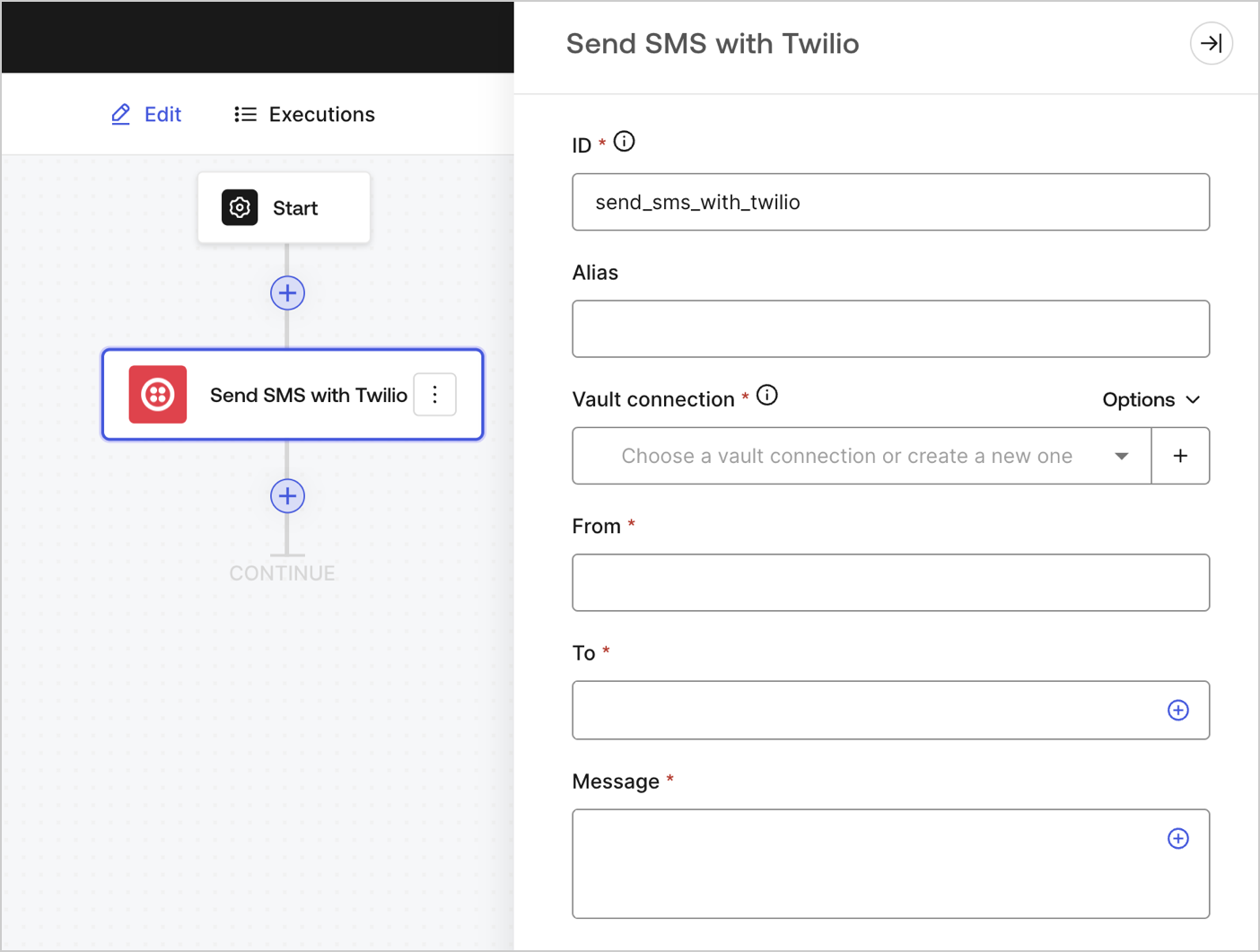
Envoie un SMS.

<Frame>
  <img src="https://mintcdn.com/generaltranslationinc/4zAuExUltEzBlp_a/docs/images/fr-ca/cdy7uua7fh8z/4lPqmcYGCJ2oRHM3GSta6w/10b0141d163e4be601c2786895486440/sendsmstwilio.png?fit=max&auto=format&n=4zAuExUltEzBlp_a&q=85&s=2f098d23a3872224f031b18acde30b47" alt="" width="1404" height="1061" data-path="docs/images/fr-ca/cdy7uua7fh8z/4lPqmcYGCJ2oRHM3GSta6w/10b0141d163e4be601c2786895486440/sendsmstwilio.png" />
</Frame>

<div id="input-settings">
  ### Paramètres de saisie
</div>

<table class="table">
  <thead>
    <tr>
      <th><b>Paramètre</b></th>
      <th><b>Description</b></th>
    </tr>
  </thead>

  <tbody>
    <tr>
      <td>De (obligatoire)</td>
      <td>Le nom de l’expéditeur du SMS.</td>
    </tr>

    <tr>
      <td>À (obligatoire)</td>
      <td>Le numéro de téléphone de destination indiqué dans le <a href="https://en.wikipedia.org/wiki/E.164">format E.164</a>.</td>
    </tr>

    <tr>
      <td>Message (obligatoire)</td>
      <td>Le contenu du corps du SMS.</td>
    </tr>
  </tbody>
</table>

<div id="output-object">
  ### Paramètres de sortie
</div>

Vous trouverez tous les codes d’état attendus dans la [documentation de Twilio](https://www.twilio.com/docs/messaging/api/message-resource#message-status-values).

<div id="make-call">
  ## Faire un appel
</div>

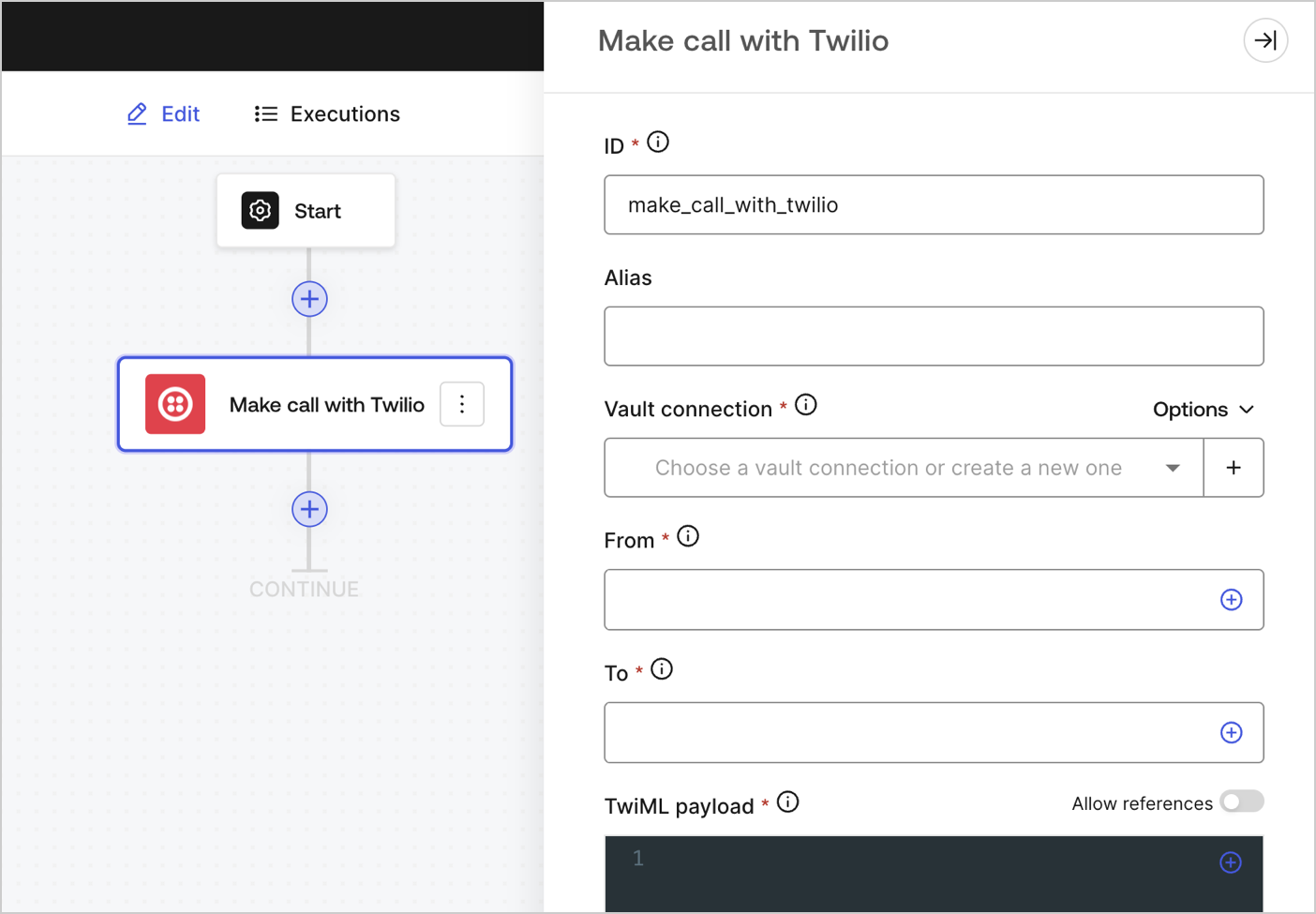
Fait un appel.

<Frame>
  <img src="https://mintcdn.com/generaltranslationinc/2RKJkv7bJ8pSb5rN/docs/images/fr-ca/cdy7uua7fh8z/4JaAbJIVuVUJY40lhQuVUN/1a1bd6143c8033c12e18fa49252bd36b/makecalltwilio.png?fit=max&auto=format&n=2RKJkv7bJ8pSb5rN&q=85&s=0d33d7189a6d873b061c9357355a7f2c" alt="" width="1404" height="975" data-path="docs/images/fr-ca/cdy7uua7fh8z/4JaAbJIVuVUJY40lhQuVUN/1a1bd6143c8033c12e18fa49252bd36b/makecalltwilio.png" />
</Frame>

<div id="input-settings">
  ### Paramètres de saisie
</div>

<table class="table">
  <thead>
    <tr>
      <th><b>Paramètre</b></th>
      <th><b>Description</b></th>
    </tr>
  </thead>

  <tbody>
    <tr>
      <td>De (obligatoire)</td>
      <td>Votre numéro de téléphone Twilio. Le code du pays doit être inclus. Exemple : +18005550175, 1 étant le code pour les États-Unis.</td>
    </tr>

    <tr>
      <td>À (obligatoire)</td>
      <td>Le numéro de téléphone de destination indiqué dans le <a href="https://en.wikipedia.org/wiki/E.164">format E.164</a>.</td>
    </tr>

    <tr>
      <td>Charge utile TwiML (obligatoire)</td>

      <td>
        <p>Les instructions TwiML pour votre message vocal.</p> Pour en savoir plus, lisez <a href="https://www.twilio.com/docs/voice/twiml">la documentation TwiML de Twilio</a>.
      </td>
    </tr>
  </tbody>
</table>

<div id="output-object">
  ### Paramètres de sortie
</div>

Vous trouverez tous les codes d’état attendus dans la [documentation de Twilio](https://www.twilio.com/docs/voice/twiml).