> ## Documentation Index
> Fetch the complete documentation index at: https://auth0.generaltranslation.app/llms.txt
> Use this file to discover all available pages before exploring further.
> Découvrez comment autoriser l’accès M2M pour votre application.
# Autoriser l’accès de communication entre machines (M2M)
export const AuthCodeBlock = ({filename, icon, language, highlight, children}) => {
const [processedChildren, setProcessedChildren] = useState(children);
useEffect(() => {
let unsubscribe = null;
function init() {
unsubscribe = window.autorun(() => {
let processedChildren = children;
for (const [key, value] of window.rootStore.variableStore.values.entries()) {
processedChildren = processedChildren.replace(new RegExp(key, "g"), value);
}
setProcessedChildren(processedChildren);
});
}
if (window.rootStore) {
init();
} else {
window.addEventListener("adu:storeReady", init);
}
return () => {
window.removeEventListener("adu:storeReady", init);
unsubscribe?.();
};
}, [children]);
return
{processedChildren}
;
};
export const codeExample = `curl -X POST --location "https://{yourDomain}/api/v2/organizations/{ORG_id}/client-grants" \\
--header 'authorization: Bearer MGMT_API_ACCESS_TOKEN' \\
--header 'content-type: application/json' \\
--data '{
"grant_id": "GRANT_ID"
}'
`;
Pour autoriser l’accès à la communication entre machines pour une application, vous devez lui permettre d’utiliser une organisation pour une API spécifique. Pour ce faire, vous devez associer l’autorisation client de l’application à l’API correspondante avec l’organisation. Une fois associée, l’application peut utiliser l’organisation lors de la demande de jetons pour l’API et les permissions définies dans l’autorisation client. Vous devrez définir cette association pour chaque API à laquelle votre application doit accéder pour l’organisation.
Vous pouvez autoriser l’accès M2M pour une application à l’aide de l’[Auth0 Dashboard](https://manage.auth0.com/) ou de la [Management API](https://auth0.com/docs/api/management/v2).
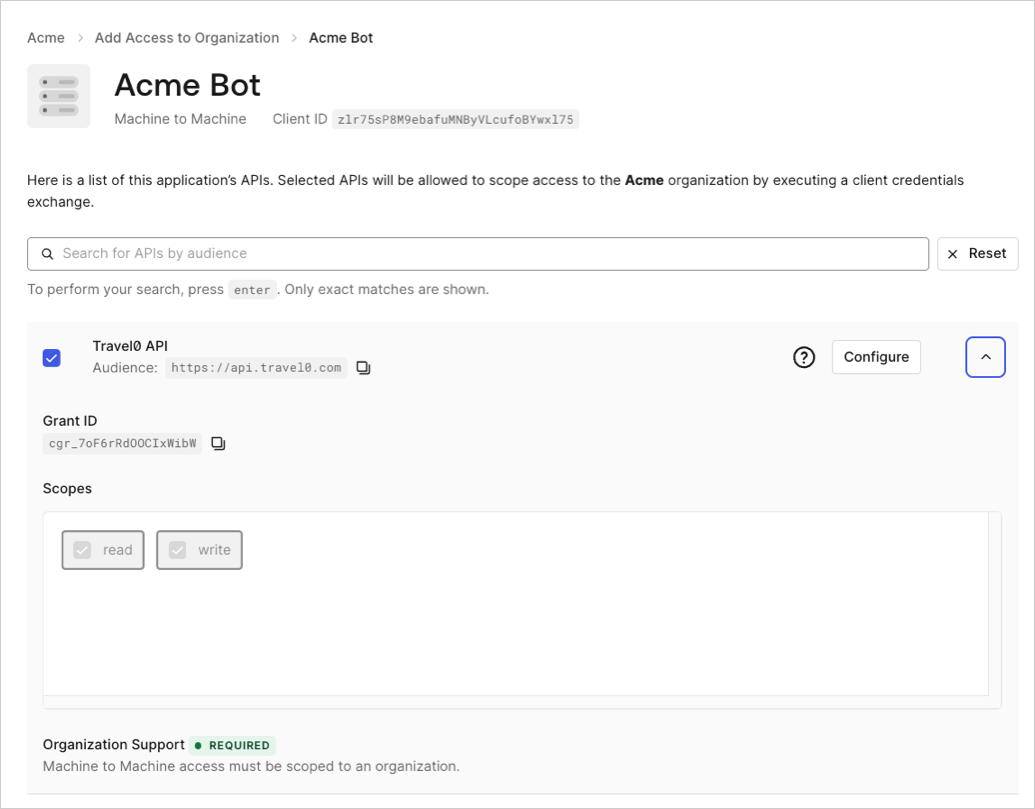
Pour associer l’autorisation client d’une application à une organisation via Auth0 Dashboard :
1. Naviguez vers **Organizations** et choisissez l’organisation à laquelle vous souhaitez associer l’autorisation client.
2. Sélectionnez l’onglet **Machine-to-Machine Access (Accès de communication entre machines)**.
3. Cliquez sur **Add Access (Ajouter un accès).**
4. Cliquez sur l’application que vous souhaitez associer à l’organisation.
5. Sélectionnez une API.
6. Cliquez sur **Save (Enregistrer).**
 Les autorisations de client d’application peuvent être associées à une organisation via le point de terminaison [Associate client grant to organization (Associer une autorisation client à une organisation)](https://auth0.com/docs/api/management/v2/organizations/create-organization-client-grants) :