> ## Documentation Index
> Fetch the complete documentation index at: https://auth0.generaltranslation.app/llms.txt
> Use this file to discover all available pages before exploring further.
# Rétrograder ou annuler les abonnements Auth0
> Décrit comment rétrograder ou annuler votre abonnement Auth0.
Vous pouvez rétrograder ou annuler votre abonnement Auth0 à tout moment. Vous pourrez bénéficier d’un crédit sur votre prochain cycle de facturation ou d’un remboursement selon les circonstances.
## Abonnements en libre-service
Si vous avez un abonnement Essentiel ou Professionnel, vous pouvez rétrograder ou annuler votre abonnement dans l’[Auth0 Dashboard](https://manage.auth0.com/#).
### Rétrograder ou annuler l’abonnement
1. Allez dans [Dashboard > Paramètres](https://manage.auth0.com/#/tenant), puis passez à la vue **Abonnement**.
2. Localisez l’abonnement vers lequel vous souhaitez rétrograder, puis sélectionnez **Rétrograder**.
3. Si vous souhaitez annuler votre abonnement, localisez l’abonnement **Gratuit**, puis sélectionnez **Rétrograder**.
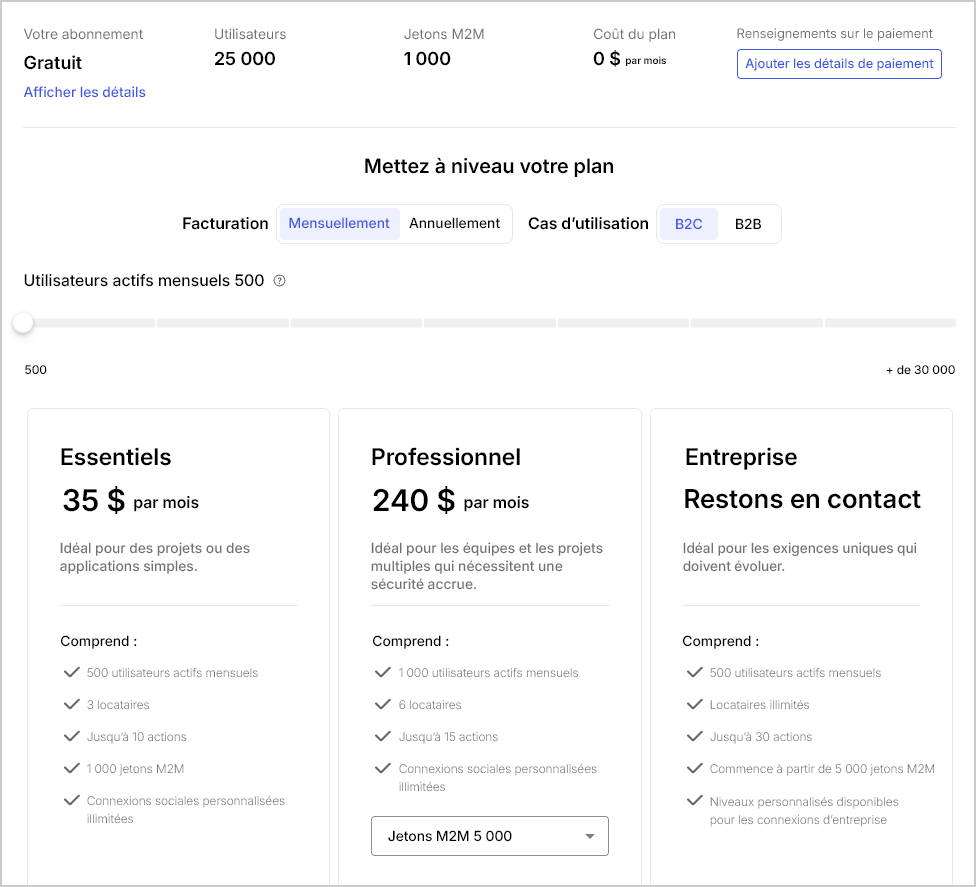 4. Pour confirmer votre changement d’abonnement, sélectionnez **S’abonner maintenant**.
### Demander un crédit ou un remboursement
Si vous rétrogradez ou annulez votre abonnement Auth0, vous pouvez bénéficier d’un crédit sur votre prochain cycle de facturation ou d’un remboursement. Pour en savoir plus, consultez notre [Politique de facturation](/docs/fr-CA/fr-ca/troubleshoot/customer-support/operational-policies/billing-policy).
## Abonnements Entreprise
Si vous avez un abonnement Entreprise, contactez votre Gestionnaire technique de compte (TAM), puis [ouvrez un ticket avec l’assistance Auth0](/docs/fr-CA/fr-ca/troubleshoot/customer-support/open-and-manage-support-tickets).
## En savoir plus
* [Supprimer ou réinitialiser des locataires](/docs/fr-CA/fr-ca/troubleshoot/customer-support/manage-subscriptions/delete-or-reset-tenant)