> ## Documentation Index
> Fetch the complete documentation index at: https://auth0.generaltranslation.app/llms.txt
> Use this file to discover all available pages before exploring further.
# 認証
> Auth0を使った認証方法について詳しくご紹介します。
export const AuthDocsPipeline = ({activeId}) => {
const [hoveredId, setHoveredId] = useState(null);
const VB_WIDTH = 1202;
const VB_HEIGHT = 424;
const AUTH_GROUP = new Set(['authenticate', 'provision-db', 'provision-social', 'add-login']);
const CUSTOM_GROUP = new Set(['customize', 'brand', 'actions', 'extensions']);
const STEPS = [{
id: 'get-started',
href: '/docs/get-started',
cx: 53.7447,
cy: 140.5572,
r: 52
}, {
id: 'authenticate',
href: '/docs/authenticate',
cx: 239.164,
cy: 140.5572,
r: 52
}, {
id: 'manage-users',
href: '/docs/manage-users',
cx: 515.135,
cy: 140.5572,
r: 52
}, {
id: 'customize',
href: '/docs/customize',
cx: 791.106,
cy: 140.5572,
r: 52
}, {
id: 'deploy',
href: '/docs/deploy-monitor',
cx: 1147.57,
cy: 140.5572,
r: 52
}, {
id: 'secure',
href: '/docs/secure',
cx: 974,
cy: 224,
r: 44
}, {
id: 'provision-db',
href: '/docs/authenticate#provision–database',
cx: 67,
cy: 410,
r: 42
}, {
id: 'provision-social',
href: '/docs/authenticate#provision–social',
cx: 167,
cy: 410,
r: 42
}, {
id: 'add-login',
href: '/docs/authenticate#add-login',
cx: 312,
cy: 410,
r: 42
}, {
id: 'brand',
href: '/docs/customize#brand',
cx: 720,
cy: 410,
r: 42
}, {
id: 'actions',
href: '/docs/customize#actions',
cx: 864,
cy: 410,
r: 42
}, {
id: 'extensions',
href: '/docs/customize#extensions',
cx: 964,
cy: 410,
r: 42
}];
const addGroupToSet = (id, set) => {
if (!id) return;
if (AUTH_GROUP.has(id)) {
AUTH_GROUP.forEach(gid => set.add(gid));
} else if (CUSTOM_GROUP.has(id)) {
CUSTOM_GROUP.forEach(gid => set.add(gid));
} else {
set.add(id);
}
};
const lit = new Set();
addGroupToSet(activeId, lit);
addGroupToSet(hoveredId, lit);
return
{STEPS.map(({id, cx, cy, r}) => {
if (lit.has(id)) return null;
const left = (cx - r) / VB_WIDTH * 100;
const top = (cy - r) / VB_HEIGHT * 100;
const size = 2 * r / VB_WIDTH * 100;
return
;
})}
{STEPS.map(({id, href, cx, cy, r}) => {
const left = (cx - r) / VB_WIDTH * 100;
const top = (cy - r) / VB_HEIGHT * 100;
const size = 2 * r / VB_WIDTH * 100;
return
setHoveredId(id)} onMouseLeave={() => setHoveredId(null)} />;
})}
;
};
認証とは、ユーザーまたはアプリケーションが、有効な資格情報を入力することで自身の身元を証明するプロセスです。最も一般的な検証方法はパスワードで、多くの場合、それに指紋などの方法を組み合わせます。
Auth0なら、OAuth 2.0やOIDC、SAMLといった認証用のオープンな業界標準を手軽に利用できます。ユーザーは、ソーシャルメディアの資格情報や企業アカウント、その他幅広い資格情報を使ってアプリケーションにログインできます。
***
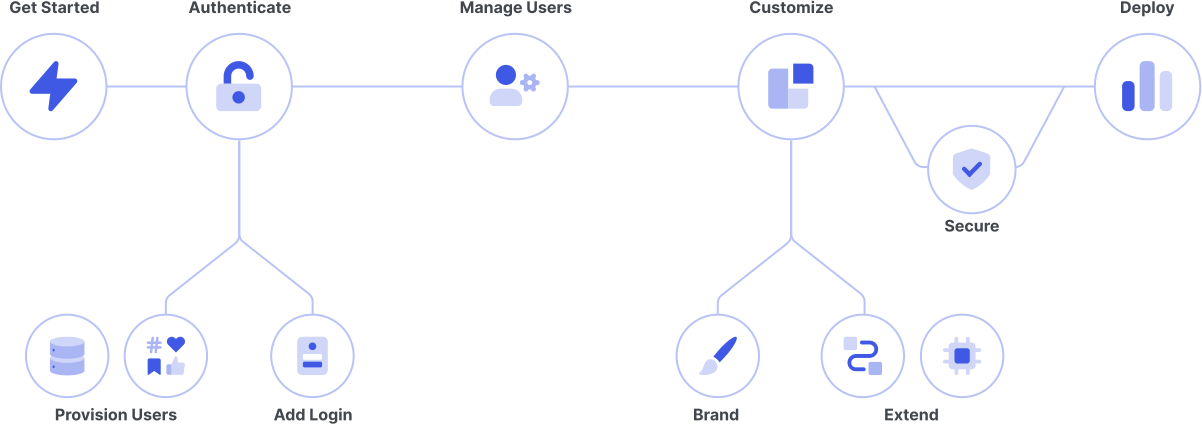
## ログインの追加
##### Auth0ユニバーサルログイン(または代替)を実装してアプリケーションへのアクセスを制御します。
さまざまなユーザーログインオプションから選択します。
ユーザーが1つのアプリケーションにログインすると、自動的に他のアプリケーションで認証されるようにします。
ユーザーが携帯電話番号やメールアドレスを入力して、パスワード不要のログインリンクやワンタイムパスワードを受け取れるようにします。
Learn about Custom Token Exchange Early Access features.
***
## ユーザーをプロビジョニングする
##### ソーシャルIDプロバイダー(FacebookやSalesForceなど)、エンタープライズユーザーストア(Active DirectoryやGoogle Workspaceなど)、カスタムデータベースなどからユーザーを取り込みます。
ユーザーアカウントのソースをセットアップして、アプリケーションやAPIを認証できるようにします。
メール/ユーザー名とパスワードを使用してユーザーを認証し、ユーザーの資格情報をAuth0提供のユーザーストアや独自のデータベースに保存します。
Azure AD、Google Workspace、PingFederateなど、外部のフェデレーションIDプロバイダーを使用してユーザーを認証します。
OAuth 2.0、SAML、LDAPなど、認証や認可の業界標準オープンプロトコルを手軽に実装します。
ソーシャル接続とデータベース接続の構成に関するベストプラクティスについて説明します。