> ## Documentation Index
> Fetch the complete documentation index at: https://auth0.generaltranslation.app/llms.txt
> Use this file to discover all available pages before exploring further.

# HTTP要求

> 外部のAPIまたはサービスにカスタム要求を送信するHTTP要求フローのアクションを構成する方法を説明します。

<div id="configure-your-vault-connection">
  ## Vault接続を構成する
</div>

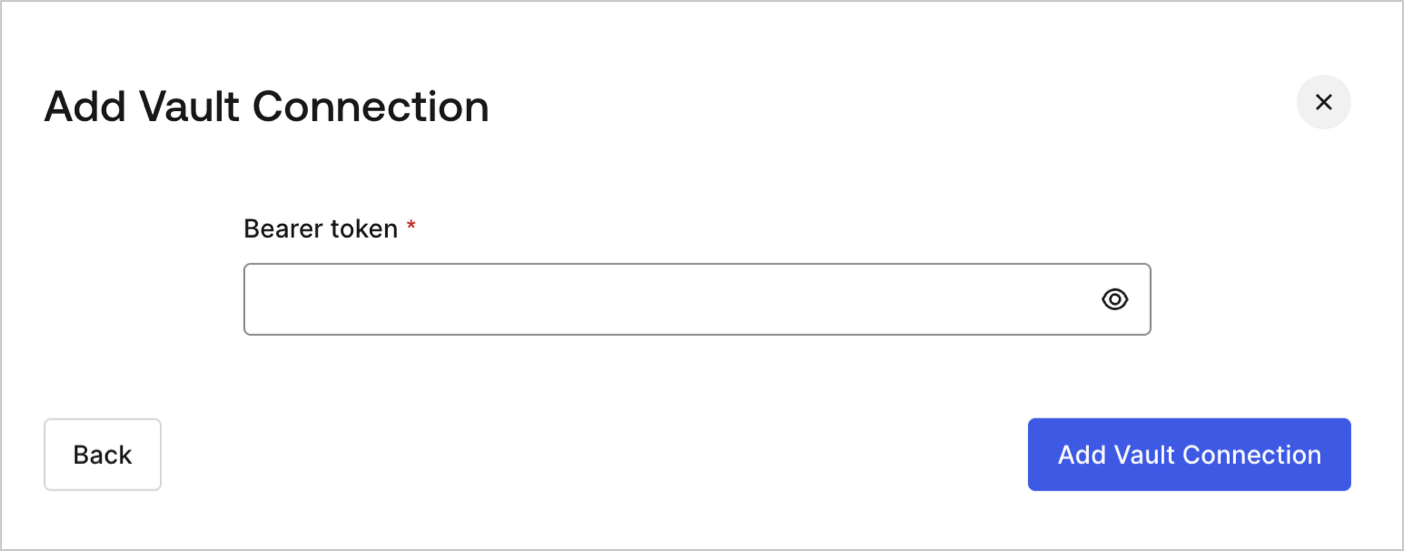
HTTP要求アクションにVault接続を構成するには、 **［Bearer token（ベアラートークン）］** が必要です。

<Frame>
  <img src="https://mintcdn.com/generaltranslationinc/JoMgZsgQxj2_Gov3/docs/images/ja-jp/cdy7uua7fh8z/3X0Qbe9o1bx8q9ctxYZTO2/468b4d9b81bad93ab38b0b01dc773788/http-vault-connection.png?fit=max&auto=format&n=JoMgZsgQxj2_Gov3&q=85&s=1f7258903e586408876db70f486f945b" alt="Dashboard > Actions > Forms > Flows > Actions > HTTP Request " data-og-width="1404" width="1404" data-og-height="551" height="551" data-path="docs/images/ja-jp/cdy7uua7fh8z/3X0Qbe9o1bx8q9ctxYZTO2/468b4d9b81bad93ab38b0b01dc773788/http-vault-connection.png" data-optimize="true" data-opv="3" srcset="https://mintcdn.com/generaltranslationinc/JoMgZsgQxj2_Gov3/docs/images/ja-jp/cdy7uua7fh8z/3X0Qbe9o1bx8q9ctxYZTO2/468b4d9b81bad93ab38b0b01dc773788/http-vault-connection.png?w=280&fit=max&auto=format&n=JoMgZsgQxj2_Gov3&q=85&s=73db2151e7f0cf6c7def2c93a99369f5 280w, https://mintcdn.com/generaltranslationinc/JoMgZsgQxj2_Gov3/docs/images/ja-jp/cdy7uua7fh8z/3X0Qbe9o1bx8q9ctxYZTO2/468b4d9b81bad93ab38b0b01dc773788/http-vault-connection.png?w=560&fit=max&auto=format&n=JoMgZsgQxj2_Gov3&q=85&s=ee7316be25f87512f105519d10c361ef 560w, https://mintcdn.com/generaltranslationinc/JoMgZsgQxj2_Gov3/docs/images/ja-jp/cdy7uua7fh8z/3X0Qbe9o1bx8q9ctxYZTO2/468b4d9b81bad93ab38b0b01dc773788/http-vault-connection.png?w=840&fit=max&auto=format&n=JoMgZsgQxj2_Gov3&q=85&s=2e2547356b16f43aa79686acf6568905 840w, https://mintcdn.com/generaltranslationinc/JoMgZsgQxj2_Gov3/docs/images/ja-jp/cdy7uua7fh8z/3X0Qbe9o1bx8q9ctxYZTO2/468b4d9b81bad93ab38b0b01dc773788/http-vault-connection.png?w=1100&fit=max&auto=format&n=JoMgZsgQxj2_Gov3&q=85&s=0bfae40c5548efc2cd5c7c0297c942be 1100w, https://mintcdn.com/generaltranslationinc/JoMgZsgQxj2_Gov3/docs/images/ja-jp/cdy7uua7fh8z/3X0Qbe9o1bx8q9ctxYZTO2/468b4d9b81bad93ab38b0b01dc773788/http-vault-connection.png?w=1650&fit=max&auto=format&n=JoMgZsgQxj2_Gov3&q=85&s=8e6ba355c67bf12e8c1fabe911fe53b9 1650w, https://mintcdn.com/generaltranslationinc/JoMgZsgQxj2_Gov3/docs/images/ja-jp/cdy7uua7fh8z/3X0Qbe9o1bx8q9ctxYZTO2/468b4d9b81bad93ab38b0b01dc773788/http-vault-connection.png?w=2500&fit=max&auto=format&n=JoMgZsgQxj2_Gov3&q=85&s=3ce67dabaae3607adb4bea9777080695 2500w" />
</Frame>

<div id="http-request">
  ## HTTP要求
</div>

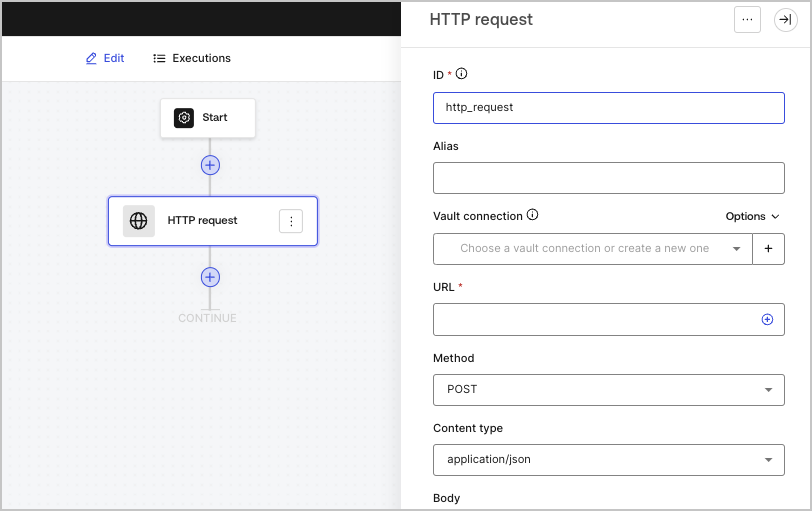
HTTP要求アクションでは、外部のAPIまたはサービスを呼び出して、応答を処理することができます。

<Frame>
  <img src="https://mintcdn.com/generaltranslationinc/UCtxRPLKKGiAgiWv/docs/images/ja-jp/cdy7uua7fh8z/6eIOv07XenyaazzKixigei/2e9efd632137829a8ddb03aacd3197df/http-request-action.png?fit=max&auto=format&n=UCtxRPLKKGiAgiWv&q=85&s=215ee2d95ee7ebaf22d9e5b9399168e4" alt="" width="812" height="511" data-path="docs/images/ja-jp/cdy7uua7fh8z/6eIOv07XenyaazzKixigei/2e9efd632137829a8ddb03aacd3197df/http-request-action.png" />
</Frame>

<div id="input-settings">
  ### 入力設定
</div>

<table class="table">
  <thead>
    <tr>
      <th><b>パラメーター</b></th>
      <th><b>説明</b></th>
    </tr>
  </thead>

  <tbody>
    <tr>
      <td>Method（メソッド）</td>

      <td>
        HTTPメソッドです。以下の値を使用できます。

        <ul>
          <li>`GET`</li>
          <li>`POST`</li>
          <li>`PUT`</li>
          <li>`PATCH`</li>
          <li>`DELETE`</li>
        </ul>
      </td>
    </tr>

    <tr>
      <td>Content type（コンテンツタイプ）</td>

      <td>
        `Content-Type`ヘッダーです。以下の値を使用できます。

        <ul>
          <li>`application/json`</li>
          <li>`application/x-www-form-urlenconded`</li>
          <li>`application/xml`</li>
        </ul>
      </td>
    </tr>

    <tr>
      <td>Body（ボディー）</td>

      <td>
        要求本文です。
      </td>
    </tr>

    <tr>
      <td>Headers（ヘッダー）</td>

      <td>
        要求のヘッダーです。
      </td>
    </tr>

    <tr>
      <td>URL params（URLパラメーター）</td>

      <td>
        URLパラメーターです。これらのパラメーターは自動的にURLエンコードされます。
      </td>
    </tr>

    <tr>
      <td>Enable Basic Auth（Basic認証を有効にする）</td>

      <td>
        ユーザー名とパスワードでの認証を有効にします。
      </td>
    </tr>
  </tbody>
</table>

<div id="output-object">
  ### 出力オブジェクト
</div>

<table class="table">
  <thead>
    <tr>
      <th><b>プロパティ</b></th>
      <th><b>タイプ</b></th>
      <th><b>説明</b></th>
    </tr>
  </thead>

  <tbody>
    <tr>
      <td>`headers`</td>

      <td>
        オブジェクト
      </td>

      <td>
        応答のヘッダー。
      </td>
    </tr>

    <tr>
      <td>`body`</td>

      <td>
        オブジェクト
      </td>

      <td>
        応答の本文。
      </td>
    </tr>

    <tr>
      <td>`status`</td>

      <td>
        数値
      </td>

      <td>応答のステータスコード。</td>
    </tr>

    <tr>
      <td>`success`</td>

      <td>
        ブール値
      </td>

      <td>
        応答の`status`に応じて、`true`または`false`を返します。
      </td>
    </tr>
  </tbody>
</table>

<div id="output-object-example">
  ### 出力オブジェクトの例
</div>

```json lines theme={null}
{
  "headers": {
    ...
  },
  "status": 200,
  "body": {
    ...
  },
  "success": true
}
```
