> ## Documentation Index
> Fetch the complete documentation index at: https://auth0.generaltranslation.app/llms.txt
> Use this file to discover all available pages before exploring further.
# はじめに
> 基本を学んで、認証ソリューションの構築を始めましょう。
export const AuthDocsPipeline = ({activeId}) => {
const [hoveredId, setHoveredId] = useState(null);
const VB_WIDTH = 1202;
const VB_HEIGHT = 424;
const AUTH_GROUP = new Set(['authenticate', 'provision-db', 'provision-social', 'add-login']);
const CUSTOM_GROUP = new Set(['customize', 'brand', 'actions', 'extensions']);
const STEPS = [{
id: 'get-started',
href: '/docs/get-started',
cx: 53.7447,
cy: 140.5572,
r: 52
}, {
id: 'authenticate',
href: '/docs/authenticate',
cx: 239.164,
cy: 140.5572,
r: 52
}, {
id: 'manage-users',
href: '/docs/manage-users',
cx: 515.135,
cy: 140.5572,
r: 52
}, {
id: 'customize',
href: '/docs/customize',
cx: 791.106,
cy: 140.5572,
r: 52
}, {
id: 'deploy',
href: '/docs/deploy-monitor',
cx: 1147.57,
cy: 140.5572,
r: 52
}, {
id: 'secure',
href: '/docs/secure',
cx: 974,
cy: 224,
r: 44
}, {
id: 'provision-db',
href: '/docs/authenticate#provision–database',
cx: 67,
cy: 410,
r: 42
}, {
id: 'provision-social',
href: '/docs/authenticate#provision–social',
cx: 167,
cy: 410,
r: 42
}, {
id: 'add-login',
href: '/docs/authenticate#add-login',
cx: 312,
cy: 410,
r: 42
}, {
id: 'brand',
href: '/docs/customize#brand',
cx: 720,
cy: 410,
r: 42
}, {
id: 'actions',
href: '/docs/customize#actions',
cx: 864,
cy: 410,
r: 42
}, {
id: 'extensions',
href: '/docs/customize#extensions',
cx: 964,
cy: 410,
r: 42
}];
const addGroupToSet = (id, set) => {
if (!id) return;
if (AUTH_GROUP.has(id)) {
AUTH_GROUP.forEach(gid => set.add(gid));
} else if (CUSTOM_GROUP.has(id)) {
CUSTOM_GROUP.forEach(gid => set.add(gid));
} else {
set.add(id);
}
};
const lit = new Set();
addGroupToSet(activeId, lit);
addGroupToSet(hoveredId, lit);
return
{STEPS.map(({id, cx, cy, r}) => {
if (lit.has(id)) return null;
const left = (cx - r) / VB_WIDTH * 100;
const top = (cy - r) / VB_HEIGHT * 100;
const size = 2 * r / VB_WIDTH * 100;
return
;
})}
{STEPS.map(({id, href, cx, cy, r}) => {
const left = (cx - r) / VB_WIDTH * 100;
const top = (cy - r) / VB_HEIGHT * 100;
const size = 2 * r / VB_WIDTH * 100;
return
setHoveredId(id)} onMouseLeave={() => setHoveredId(null)} />;
})}
;
};
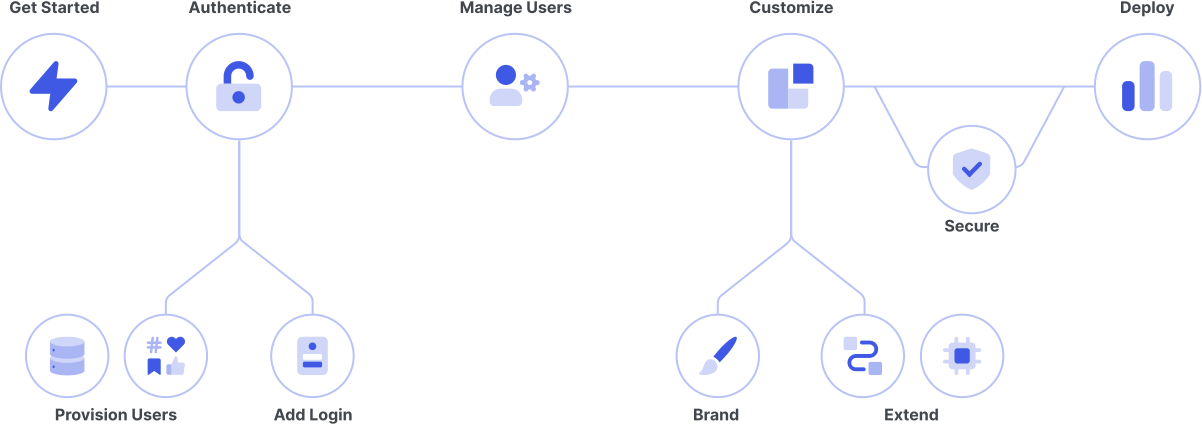
アプリケーションへのアクセスを管理するアイデンティティプラットフォーム、Auth0へようこそ。IDおよびアクセス管理(IAM)に詳しくない方は、基本的な情報を確認してから、ご自身のテクノロジーとニーズに最適なIAMを計画しましょう。すでにIAMについてよくご存知の方は、早速構築を始めましょう。
***
## 構築を始める
##### 素早く立ち上げて稼働させるため、アプリケーションのタイプを選択してください。詳しいクイックスタートチュートリアルをご用意します。
Mobile or Desktop app that runs natively on a device
e.g., iOS, Android
JavaScript web app that runs in the browser
e.g., AngularJS + Node.js, React
Traditional web app that runs on the server
e.g., Express.js, ASP.NET
An API or service protected by Auth0
e.g., Express.js API, ASP.NET API
***
## 基本を学ぶ
##### IAMテクノロジーとAuth0について知識を増やしましょう。
アイデンティティやアクセス管理の基礎について、さまざまなトピックで説明します。
さまざまなユースケースを紹介します。IAMソリューションの構成要素を作成して接続します。
***
## Auth0の構成
##### アプリケーションやAPIでAuth0をどのように利用するかを定義します。また、Auth0 Dashboardにアクセスできるユーザーも制御できます。
Auth0 Teamsについて、Teamsを有効化する方法、テナントの表示と管理、テナントメンバーの管理などを説明します。
Auth0 Dashboardのプロファイルセクションでオプションを設定する方法を説明します。
Auth0テナントの動作を構成します。
Auth0がアプリケーションとどのように動作するのかを詳しく制御します。
貴社のAPIに対するリソース要求のアクセス権を管理します。
チームメンバーのAuth0 Dashboardアクセスを管理します。
***
## 計画とデザイン
##### Auth0のフローとアーキテクチャについて知り、Auth0導入で情報に基づいた決断を下しましょう。
認証と認可を後押しする各種の情報フローについて説明します。
顧客による実際のAuth0実装について説明します。
ソリューションのデプロイメントと維持について、Auth0の専門家がご要望に合わせたサポートを提供します。
***
## Auth0 AI
##### Use the Auth0 AI product suite to learn about Auth0, integrate with AI agents, and improve your tenant’s security posture.
Learn about Auth0 Guide, an AI-powered chatbot that answers your questions about Auth0.
Learn how to leverage Auth0 for AI Agents to secure every layer of your GenAI stack.
Learn how to integrate Auth0 with Model Context Protocol (MCP).