Before you start
If you use Passwordless SMS authentication, MFA SMS and voice notifications, or Phone as ID, you need to configure a phone provider with the Unified Phone Experience.If you need different providers for MFA, Passwordless, and/or Phone as ID, you must configure a custom phone provider using Auth0 Actions.
Auth0 does not provide feedback to the end user on whether a phone message has been sent successfully with the tenant-level provider. To troubleshoot issues, review the tenant logs.
Configure MFA
- In the Auth0 Dashboard, navigate to Branding > Phone Provider .
-
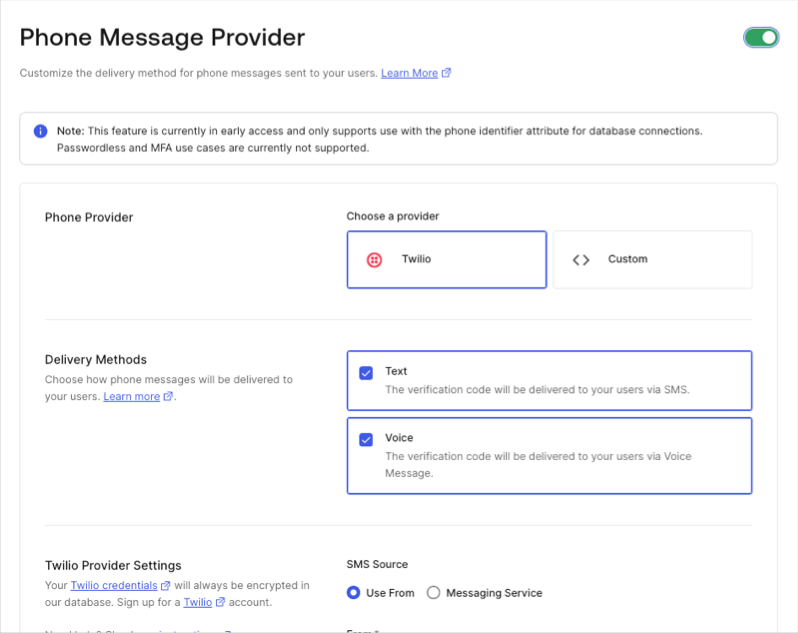
Enable the Phone Message Provider toggle.
-
Select your phone message provider.
- To use Twilio as your phone provider, follow Configure Twilio as a Phone Messaging Provider.
- To use a custom provider, follow Configure a Custom Phone Provider to use Auth0 Actions.
-
Select your delivery method(s).
Desired MFA factors must be a subset of the delivery methods you configure at the tenant-level.
- Save your changes.
- Once complete, navigate to Security > Multi-factor Auth.
- Select Phone Message .
- Choose the authentication factors.
- Save your changes.
Configure Passwordless
- In the Auth0 Dashboard, navigate to Branding > Phone Provider .
-
Enable the Phone Message Provider toggle.
-
Select your phone message provider.
- To use Twilio as your phone provider, follow Configure Twilio as a Phone Messaging Provider.
- To use a custom provider, follow follow Configure a Custom Phone Provider to use Auth0 Actions.
-
Select your delivery method.
If you do not select Text as a configured delivery method, your integration with Passwordless will not work.
- Save your changes.
- Once complete, navigate to Authentication > Passwordless > SMS .
- Save your changes.
-
If you are using Twilio:
- Navigate to Applications > Applications .
- Select the application(s) you want to use for your Twilio SMS connection for Passwordless.
- Under Connections , enable the SMS (Twilio) option.
- Return to Authentication > Passwordless > SMS .
- Under the Applications tab, enable all applications you want to use for Passwordless SMS.
- Save your changes.
If you have a use case in need of the legacy MFA and Passwordless experience, contact Auth0 Support.
Test your phone provider
- Navigate to Branding > Phone Provider .
- Select Send Test Message to test the tenant-level provider before using it in a production environment.
Configure phone templates
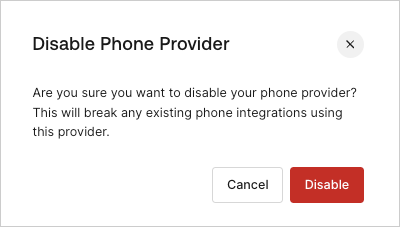
Disable phone provider