メインコンテンツへスキップ
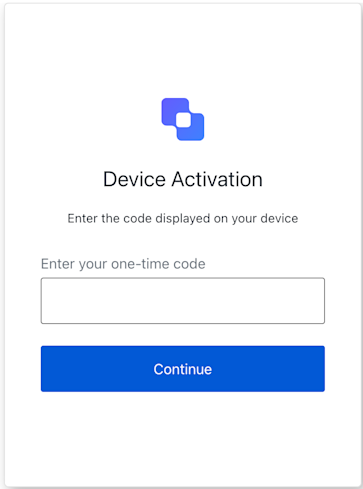
Device Code Activation 画面の機能を実装するクラスです。 この画面は、ユーザーがデバイスを有効化するために、そのデバイス上でコードを入力する必要があるときに表示されます。
Example
import DeviceCodeActivation from '@auth0/auth0-acul-js/device-code-activation';
const deviceCodeActivationManager = new DeviceCodeActivation();
async function activateDeviceCode(code) {
  try {
   await deviceCodeActivationManager.continue({ code });
   console.log('デバイスコードのアクティベーションに成功しました。');
  } catch (error) {
   console.error('デバイスコードのアクティベーション中にエラーが発生しました:', error);
  }
}

コンストラクタ

DeviceCodeActivation
Constructor
DeviceCodeActivation 画面のインスタンスを作成します。

プロパティ

branding
client
organization
prompt
screen
tenant
transaction
untrustedData
user
screenIdentifier
string

メソッド

continue
Promise<void>
ユーザーが入力したデバイスコードを送信します。 このメソッドは、ユーザーがデバイスに表示されたコードを入力してフォームを送信したときにトリガーされます。コードが正常に送信されると解決される Promise です。
Example
import DeviceCodeActivation from '@auth0/auth0-acul-js/device-code-activation';
const deviceCodeActivationManager = new DeviceCodeActivation();
async function activateDeviceCode(code) {
  try {
   await deviceCodeActivationManager.continue({ code });
   console.log('Device code activation successful.');
  } catch (error) {
   console.error('Error during device code activation:', error);
  }
}
送信に失敗した場合は、エラーとともに reject されます。
getErrors
コンテキストからトランザクションエラーの配列を取得します。存在しない場合は空の配列を返します。トランザクションコンテキストからのエラーオブジェクトの配列です。