メインコンテンツへスキップ
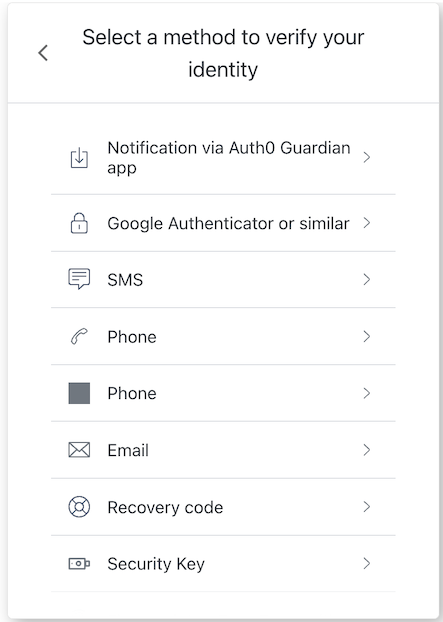
mfa-login-options 画面の機能を実装するクラスです。 この画面では、ユーザーがどの MFA(多要素認証)要素を使用してログインするかを選択できます。
Example
const mfaLoginOptions = new MfaLoginOptions();
await mfaLoginOptions.enroll({
  action: 'push-notification'
});

コンストラクター

MfaLoginOptions
Constructor
MfaLoginOptions 画面マネージャーのインスタンスを生成します

プロパティ

branding
client
organization
prompt
screen
mfa-login-options 画面の screen オブジェクト
tenant
transaction
untrustedData
user
screenIdentifier
string

メソッド

enroll
Promise<void>
選択した MFA(多要素認証)の認証要素でログイン処理を継続します。
Example
const mfaLoginOptions = new MfaLoginOptions();
await mfaLoginOptions.enroll({
  action: 'push-notification'
});
getErrors
コンテキストからトランザクションエラーの配列を取得します。存在しない場合は空配列を返します。トランザクションコンテキストからのエラーオブジェクトの配列です。
returnToPrevious
Promise<void>
Example
import MfaLoginOptions from '@auth0/auth0-acul-js/mfa-login-options';

const mfaLoginOptions = new MfaLoginOptions();
mfaLoginOptions.returnToPrevious();