メインコンテンツへスキップ
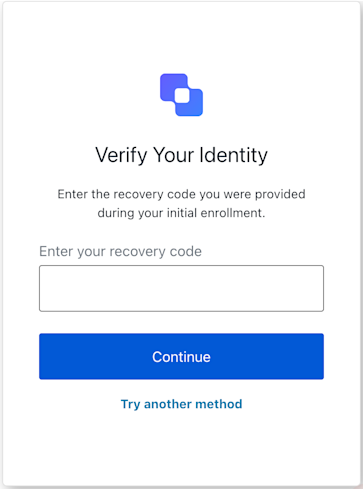
Reset Password MFA Recovery Code Challenge 画面の機能を実装するクラスです。
Example
import ResetPasswordMfaRecoveryCodeChallenge from '@auth0/auth0-acul-js/reset-password-mfa-recovery-code-challenge';
const resetPasswordMfaManager = new ResetPasswordMfaRecoveryCodeChallenge();
const continueWithRecoveryCode = async () => {
 try {
   await resetPasswordMfaManager.continue('RECOVERY_CODE');
    console.log('リカバリーコードが正常に送信されました。');
 } catch (error) {
   console.error('リカバリーコードの送信中にエラーが発生しました:', error);
 }
};

コンストラクター

ResetPasswordMfaRecoveryCodeChallenge
Constructor
ResetPasswordMfaRecoveryCodeChallenge 画面のインスタンスを生成します。

プロパティ

branding
client
organization
prompt
screen
tenant
transaction
untrustedData
user
screenIdentifier
string

メソッド

continue
Promise<void>
指定したリカバリーコードで続行します。
Example
import ResetPasswordMfaRecoveryCodeChallenge from '@auth0/auth0-acul-js/reset-password-mfa-recovery-code-challenge';
const resetPasswordMfaManager = new ResetPasswordMfaRecoveryCodeChallenge();
const continueWithRecoveryCode = async () => {
 try {
   await resetPasswordMfaManager.continue('RECOVERY_CODE');
    console.log('Recovery code submitted successfully.');
 } catch (error) {
   console.error('Error submitting recovery code:', error);
 }
};
getErrors
コンテキストからトランザクションエラーの配列を取得します。存在しない場合は空の配列を返します。トランザクションコンテキストから取得したエラーオブジェクトの配列です。
tryAnotherMethod
Promise<void>
ユーザーが別の MFA(多要素認証)の方法を選択できる画面に移動します。
Example
import ResetPasswordMfaRecoveryCodeChallenge from '@auth0/auth0-acul-js/reset-password-mfa-recovery-code-challenge';
const resetPasswordMfaRecoveryCodeChallengeManager = new ResetPasswordMfaRecoveryCodeChallenge();
const handleTryAnotherMethod = async () => {
 try {
   await resetPasswordMfaRecoveryCodeChallengeManager.tryAnotherMethod();
 } catch (error) {
   console.error('Failed to try another method:', error);
 }
};