メインコンテンツへスキップ
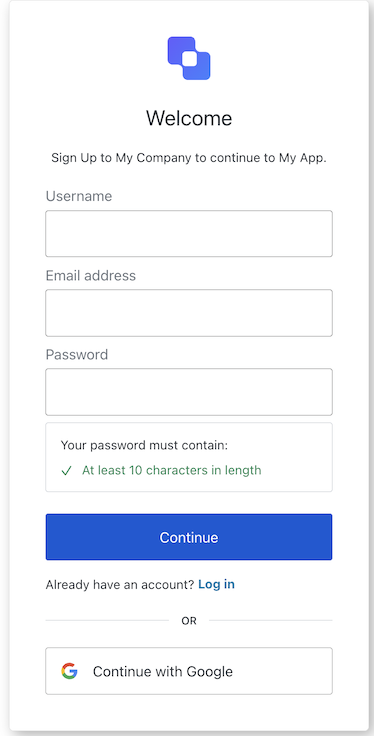
ACUL サインアップ画面のスクリーンショット
Example
import Signup from '@auth0/auth0-acul-js/signup';

const signupManager = new Signup();

signupManager.signup({
 email: 'test@example.com',
 password: 'P@$wOrd123!',
});

コンストラクター

Signup
Constructor

プロパティ

branding
client
organization
prompt
screen
tenant
transaction
untrustedData
user
screenIdentifier
string

メソッド

federatedSignup
Promise<void>
ソーシャルサインアップフォームの送信を処理します。

備考

このメソッドは signup メソッドと類似していますが、ソーシャルサインアップで使用されます。
Example
import Signup from '@auth0/auth0-acul-js/signup';

const signupManager = new Signup();

signupManager.federatedSignup({
 connection: 'google-oauth2'
});
getErrors
コンテキストからトランザクションエラーの配列を取得します。存在しない場合は空の配列を返します。トランザクションコンテキスト内のエラーオブジェクトの配列です。
getSignupIdentifiers
ユーティリティ機能サインアップフォームで有効になっている識別子の一覧を返し、 トランザクション設定に基づいて、それぞれを必須か任意かとしてマークします。識別子オブジェクト(例: メール、電話番号、ユーザー名)の配列です。
Example
const signup = new Signup();
const identifiers = signup.getSignupIdentifiers();
// [{ type: 'email', required: true }, { type: 'username', required: false }]
pickCountryCode
Promise<void>
Example
import Signup from "@auth0/auth0-acul-js/signup";
const signupManager = new Signup();

signupManager.pickCountryCode();
signup
Promise<void>

備考

このメソッドはサインアップフォームの送信を処理します。
Example
import Signup from '@auth0/auth0-acul-js/signup';

const signupManager = new Signup();

signupManager.signup({
 email: 'test@example.com',
 password: 'P@$$wOrd123!',
});
validatePassword
ユーティリティ機能パスワードが有効かどうかとその理由を示す、PasswordValidationResult タイプのオブジェクトです。
validateUsername
ユーティリティ機能指定された username を、トランザクションコンテキストで定義された現在の username ポリシーに照らして検証します。username が有効かどうかとその理由を示す結果オブジェクトです。
Example
const signup = new Signup();
const result = signup.validateUsername('myusername');
// result => { valid: true, errors: [] }